Most city building games promise creativity and control—yet demand high-end hardware or upfront payments. But what if you want to design a thriving metropolis without spending a dime or installing gigabytes of data? The truth is, not all free city builders are pixelated time-wasters. Some deliver genuine depth, surprising complexity, and hours of strategic satisfaction—all in your browser or on mobile.
The best free city building games balance accessibility with meaningful gameplay. They let you zone districts, manage budgets, respond to citizen needs, and watch your city evolve from a dusty outpost into a skyline-dominating hub. This list cuts through the noise to spotlight the titles that actually reward planning, avoid pay-to-win traps, and feel like real urban simulations.
What Makes a Free City Builder Actually Worth Playing?
Not all “free” games are created equal. Many rely on aggressive monetization, shallow mechanics, or endless waiting timers that turn gameplay into a chore. The best ones share a few key traits:
- Real progression: Unlock new buildings, zones, or mechanics as you grow—not just by paying.
- Active decision-making: You’re not just tapping; you’re balancing budgets, traffic, pollution, and happiness.
- Minimal paywalls: Premium currency should enhance, not gate, core gameplay.
- Regular updates: Developers still care—fixing bugs, adding content, and responding to players.
Avoid games where you’re stuck waiting 8 hours for a single building to complete unless you pay. That’s not strategy—it’s hostage-taking.
Top 7 Free City Building Games (No Download Required)
Here are the standout titles that deliver real city-building depth—without emptying your wallet.
1. Townscaper (Browser Demo Version) Yes, the full game is paid—but the browser-based demo lets you experiment with its unique procedural city generation. Click and drag to stack pastel-colored buildings over water or land. No budgets, no traffic—just pure architectural flow.
- Best for: Creative play, moodboarding, and stress-free design.
- Limitation: No simulation layer—just building and aesthetics.
- Play it if: You want instant visual satisfaction without rules.
2. SimCity BuildIt (Mobile) EA’s mobile adaptation of the SimCity franchise is surprisingly robust. You zone residential, commercial, and industrial areas, manage city services, and even engage in inter-city trading.
- Pros: Deep supply chains, live events, and polished visuals.
- Cons: Heavy on timers; speed-ups require in-app purchases.
- Tip: Focus on optimizing your layout early—bad spacing hurts efficiency later.
Despite the IAPs, it’s possible to progress without spending. Just be patient and log in daily to collect resources.
3. Pocket City 2 (Free Version)
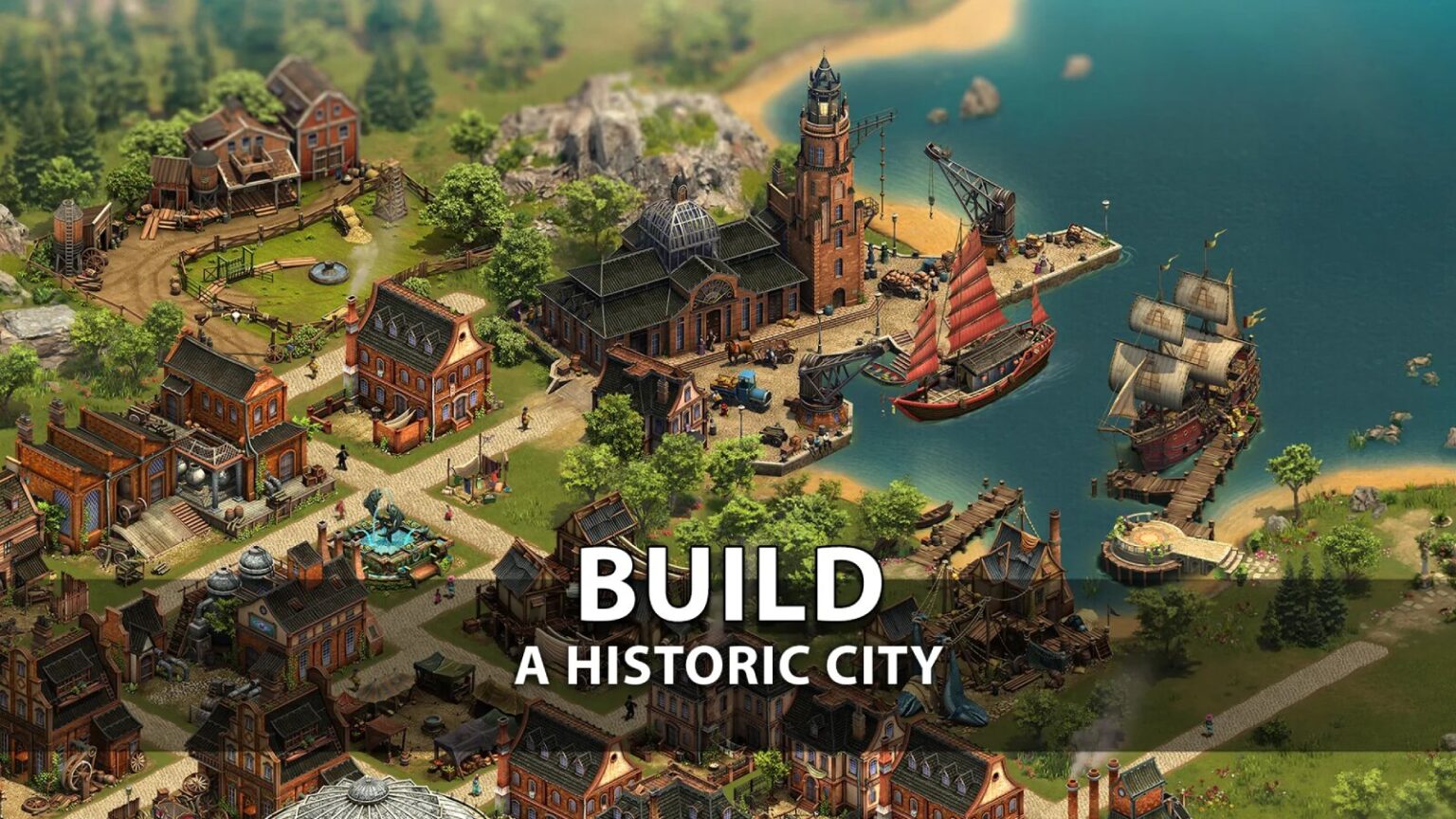
This mobile gem offers full city management with realistic mechanics—traffic, pollution, noise, and even crime. The free version includes ads and some locked content, but the core gameplay is intact.
- Realistic touches: Power grids, water lines, and emergency services.
- No absurd waits: Most actions complete in minutes, not hours.
- Offline play: Works without internet—rare for a free city game.
It’s one of the few free options where road hierarchy actually matters. Build a grid, and you’ll pay for it in traffic jams.
4. The Architect: Skylines (Browser) A lightweight browser game inspired by Cities: Skylines. You start with a blank map, place roads, zone land, and manage city services. Runs smoothly on older devices.
- Strengths: Clean UI, intuitive controls, real zoning decisions.
- Downsides: Limited scale—cities cap out at medium size.
- Hidden depth: Policies affect growth, and disasters can strike.
Great for players who want a Cities: Skylines taste without the PC specs.
5. Idle City Builder (Web & Mobile) Don’t let the name fool you—this isn’t just clicking. You design zones, upgrade infrastructure, and automate production chains. The “idle” part kicks in when you’re offline, generating passive income.
- Best for: Players who check in occasionally.
- Risk: Can become repetitive after 10+ hours.
- Strategy: Prioritize residential upgrades first—they boost tax revenue.
It’s more business sim than pure city builder, but still scratches the urban planning itch.
6. City Island 5 (Mobile) A hybrid of city building and decoration. Grow your island town by completing quests, unlocking new buildings, and customizing every street.
- Charm: Hand-drawn art style, quirky missions.
- Catch: Many decorative items locked behind paywalls.
- Workaround: Focus on functional buildings first—decoration is optional.
It’s less about simulation and more about progression, but the pacing is smooth and never feels stuck.
7. Survival City (Web) A survival twist on city building. You start post-apocalypse, scavenge resources, and rebuild society under threat of mutants and shortages.
- Unique angle: Real survival mechanics—hunger, morale, raids.
- Depth: Research tree, base fortification, NPC assignments.
- Drawback: Limited city scale—focuses on a single settlement.
If you enjoy Frostpunk but want something free and faster-paced, this hits the spot.
Browser vs. Mobile: Where Should You Build? Your platform shapes the experience.
Browser games tend to favor simplicity and instant access. They’re ideal for quick sessions, testing layouts, or playing on older laptops. However, they often lack the depth of mobile or PC titles due to performance limits.
Mobile games dominate the free city building space. They offer richer mechanics, push notifications, and better progression systems. But they’re also more likely to abuse timers and in-app purchases.
- Choose browser if: You want to play during breaks, on work devices, or avoid downloads.
- Choose mobile if: You want deeper mechanics and daily engagement.
Cross-platform options are rare, but some (like Idle City Builder) sync progress between web and app.
Common Mistakes New Players Make
Jumping into a city builder without strategy leads to frustration. Here’s what to avoid:
1. Zoning Too Early Unlocking every zone at once floods your city with demand you can’t meet. Start small—residential first, then support with services and commerce.
2. Ignoring Road Hierarchy A grid looks neat, but it creates traffic chaos. Use main roads, avenues, and connectors to separate high-traffic routes from local streets.
3. Overbuilding Services Placing a fire station, hospital, and school in every block wastes money. Use the coverage rings (if visible) to maximize efficiency.
4. Neglecting Budget
Many games let you go into debt early—don’t. Once taxes don’t cover expenses, your city collapses fast. Watch your balance like a mayor would.
5. Skipping Tutorials Even “simple” games hide mechanics. Take 10 minutes to learn how supply chains or happiness meters work. It saves hours later.
How to Maximize Fun in Free-to-Play Models
Free games survive on monetization—so learn to work with the system.
- Watch ads for bonuses: Many games offer double rewards or instant builds for viewing ads. It’s the fairest trade.
- Log in daily: Streak rewards often give premium currency or rare items.
- Focus on core gameplay: Ignore cosmetic upgrades until your city is stable.
- Join events: Limited-time challenges offer exclusive buildings and faster progression.
The goal isn’t to “beat” the monetization—it’s to enjoy the game on your terms.
The Verdict: Which Free City Builder Is Right for You?
- For realism: Pocket City 2 – closest thing to a full sim on mobile.
- For creativity: Townscaper Demo – pure building joy, no stress.
- For depth: SimCity BuildIt – complex supply chains and trading.
- For offline play: Pocket City 2 or Idle City Builder – both work without Wi-Fi.
- For survival fans: Survival City – rebuild society from ruins.
None replace Cities: Skylines or SimCity 4—and they’re not meant to. But they offer legitimate city-building experiences that respect your time and wallet.
Final Thoughts: Build Smart, Not Expensive
Free city building games have evolved. The best ones aren’t just time-killing clickers—they’re thoughtful simulations that challenge your planning skills, reward patience, and let you create something meaningful. The key is choosing wisely, avoiding pay-to-win traps, and focusing on games that prioritize gameplay over greed.
Pick one from this list, start small, and watch your first city rise. You don’t need a high-end PC or a credit card to become a mayor.
FAQ
Are free city building games truly free? Most are free to play, but may include ads or in-app purchases. You can usually progress without paying, but it might take longer.
Can I play city building games in my browser? Yes—titles like The Architect: Skylines and Idle City Builder run directly in browsers with no download.
Do these games work on low-end devices? Many mobile and browser versions are optimized for older hardware, especially 2D or idle-style games.
Is SimCity BuildIt worth playing in 2024? Yes, if you enjoy live events and supply chain management. Just avoid spending real money on speed-ups.
How do I avoid pay-to-win mechanics? Stick to games that reward strategy over timers. If everything takes hours unless you pay, skip it.
Can I save progress without an account? Some games save locally, but linking to a cloud account (Google Play, Apple ID, etc.) prevents loss.
Are there multiplayer city building games? A few, like SimCity BuildIt, include trading and competitions with other players. True co-op is rare in free versions.